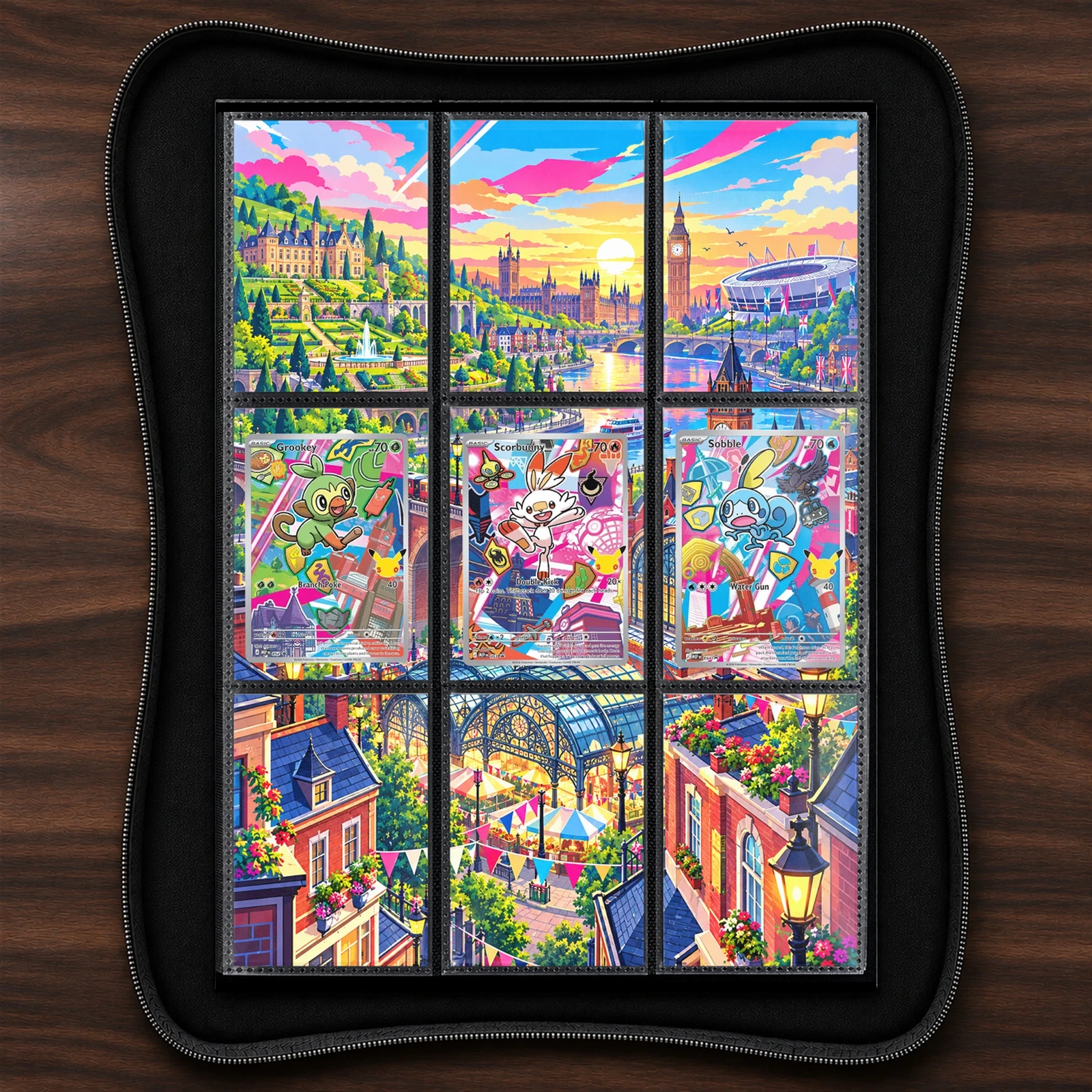
Grookey, Scorbunny, Sobble 052,053,054 MEP
from €8.99
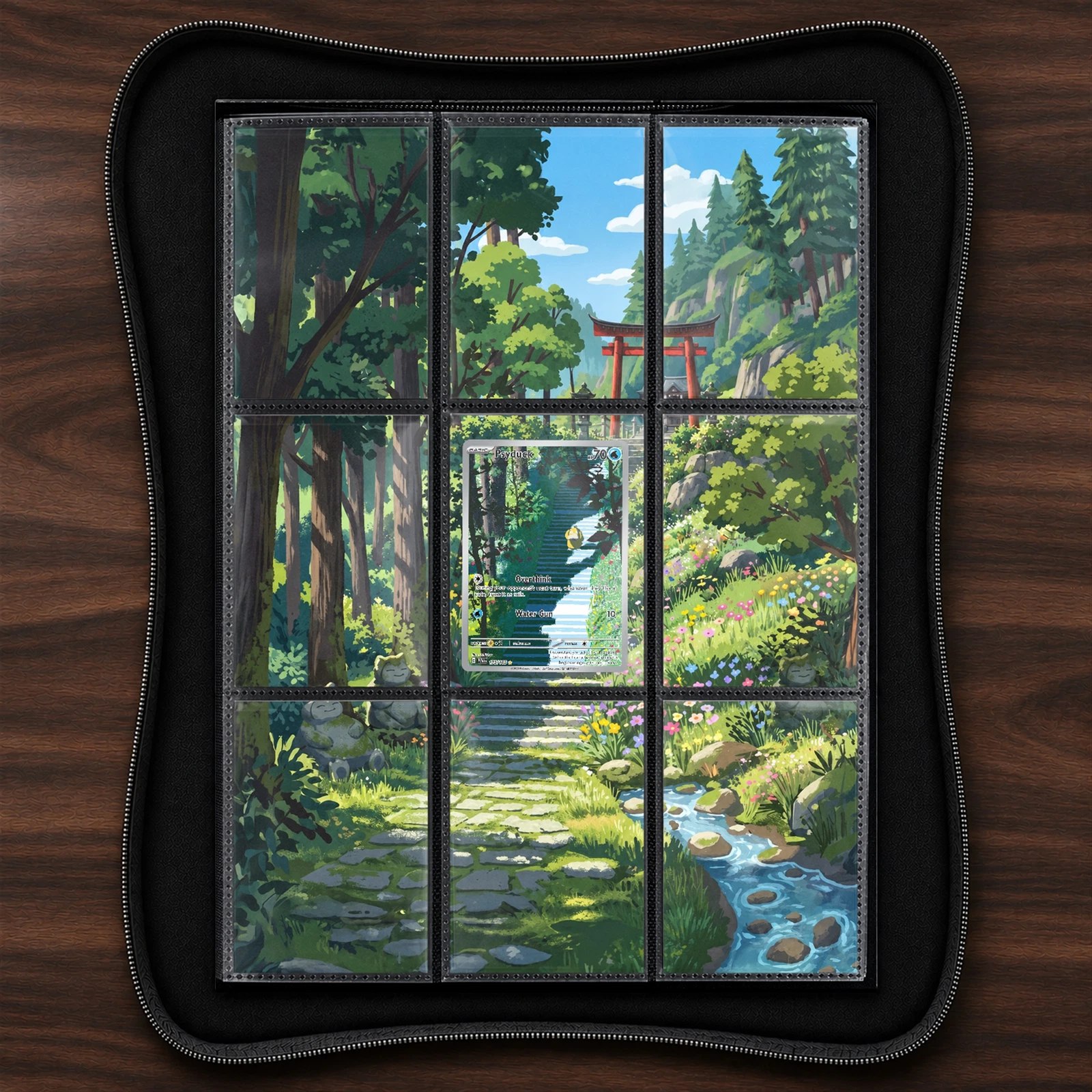
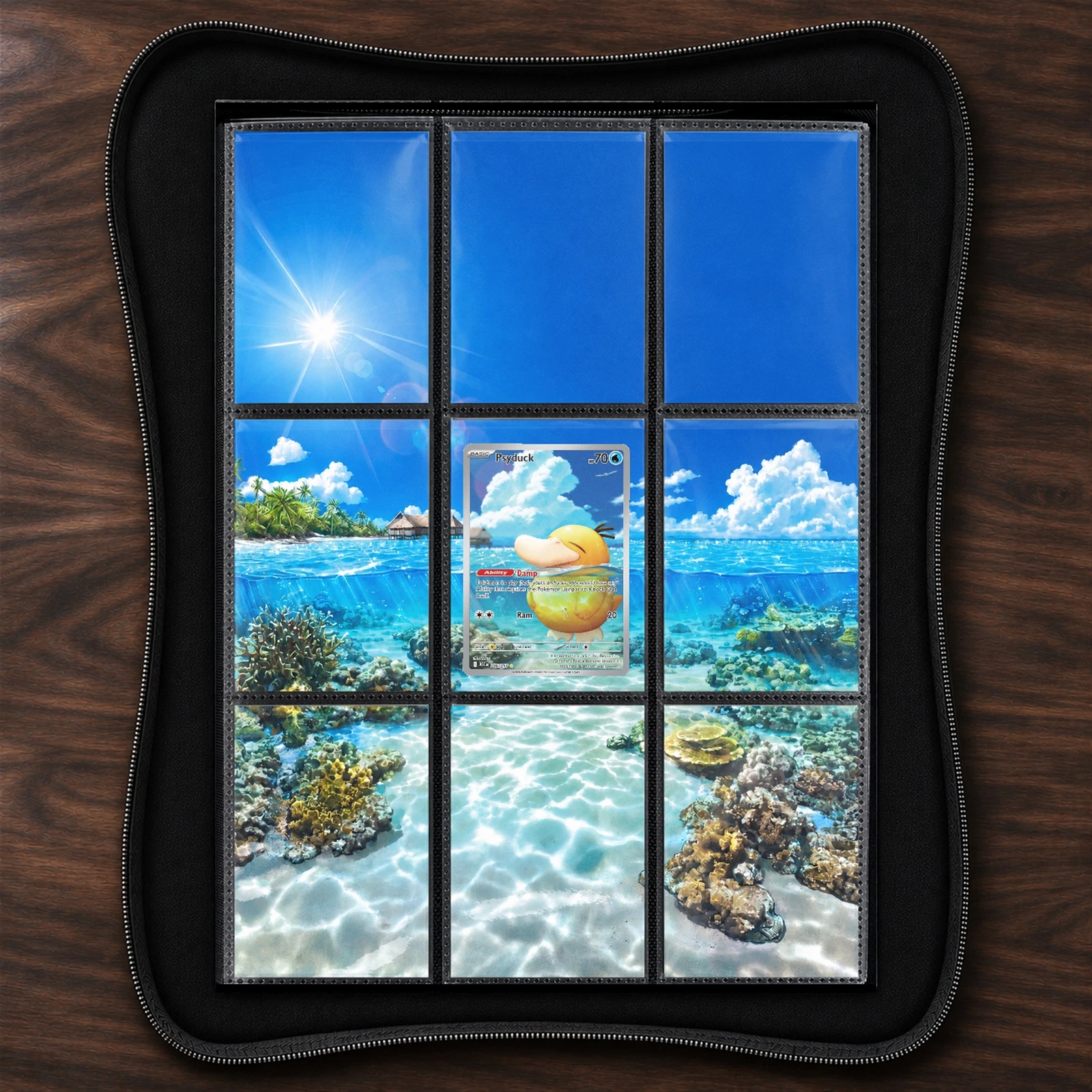
Extended binder art continues the scenery of your own Pokémon card across a binder page. At AshKetchumStudio, choose physical panorama inserts for your cards or one FullArt A4 print. The cards shown in the photos are examples and are not included.
887 designs to compare by card reference.
Searches for extended art can lead to different kinds of displays. Here is what you can choose in this shop:
| Display type | What you receive |
|---|---|
| Extended binder art / binder panorama | A continuous scene made from nine separate inserts. Place your own card or cards in the positions shown in the product preview. |
| Softsleeve and Toploader binder inserts | Two insert sizes for different binder pockets: 63 × 88 mm or 77 × 106 mm. Measure the usable inside dimensions; sleeves and toploaders are not included. |
| FullArt A4 | FullArt is one uncut illustration on A4 paper (210 × 297 mm), with white margins as shown in the preview. No studio logo or QR is printed. Paper size is not artwork size. |
Choose physical inserts shipped to you, or a digital package for download-ready designs to print yourself. Physical orders do not include a PDF download.
Search by Pokémon name, card number or set code. Then compare the artwork and card positions. Eevee 188 TWM, for example, has both a library and a conservatory design, so a card reference can have more than one panorama. Multi-card designs need the combination shown in the preview.
These panoramas use a 3×3 layout: three rows of three pockets, often called 9-pocket binder art. Nine separate inserts form the background. Position your own card(s) as shown in the product preview. A 2×2 or 4×3 page has a different layout; always measure the usable inside pocket dimensions too.
You are buying panorama inserts, not the pictured Pokémon card, a booster pack or a binder. Sleeves and toploaders are not included either. The binder preview shows how your own card and the background can form one scene.
Compare the full card name, number and set code with your own card. Check the illustration too: the same Pokémon appears on different cards.
Some card references have several backgrounds. Use the actual product preview and scene description to choose the design you want. For multi-card combinations, check the positions shown as well.
Measure the inside of your binder pockets and compare it with the insert dimensions. Then choose the available Softsleeve or Toploader option on the product page.
Measure the inside of your binder pockets and compare it with the insert size. Softsleeve: 63 × 88 mm. Toploader: 77 × 106 mm. A nine-pocket binder does not necessarily fit every size. Check your sleeves and toploaders too.
A 3 × 3 binder page can display different card combinations. Compare the positions shown in the chosen design’s photo as well as the Pokémon.
from €8.99
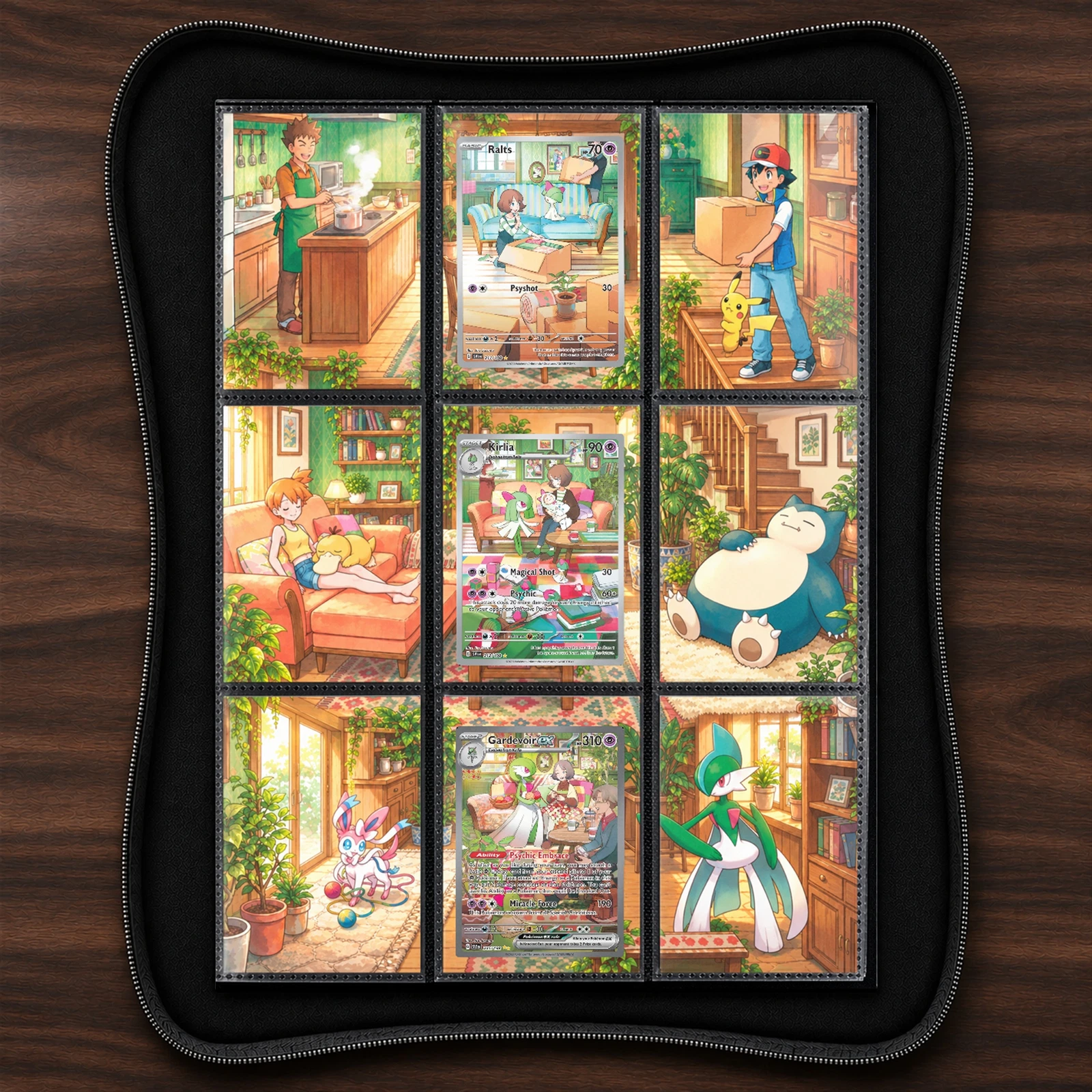
from €8.99
These are examples of card positions, not a general fit guarantee. Check your chosen design’s photo and measure the binder pockets. You receive the inserts; the cards and binder shown are not included.
FullArt is one uncut illustration on A4 paper (210 × 297 mm), with white margins as shown in the preview. No studio logo or QR is printed. Paper size is not artwork size.
Printing it yourself? Choose the PDF for your paper size and insert dimensions. Print at 100% or actual size without fit-to-page scaling, and check the size before cutting: Softsleeve 63 × 88 mm or Toploader 77 × 106 mm. Follow the crop marks in the selected insert PDF; do not trim away extra artwork to make loose panels meet on a table.
FullArt is one uncut print, not a cutting template for nine inserts. If the image still looks wrong after checking it in the binder, compare the card reference and selected size or ask for advice before trimming further. This check does not guarantee compatibility with every binder.
Eevee 188 TWM, for example, has a library and a conservatory design. Psyduck 175 MEW uses a different setting from Psyduck 226 ASC. The name alone is therefore not enough to match a design.
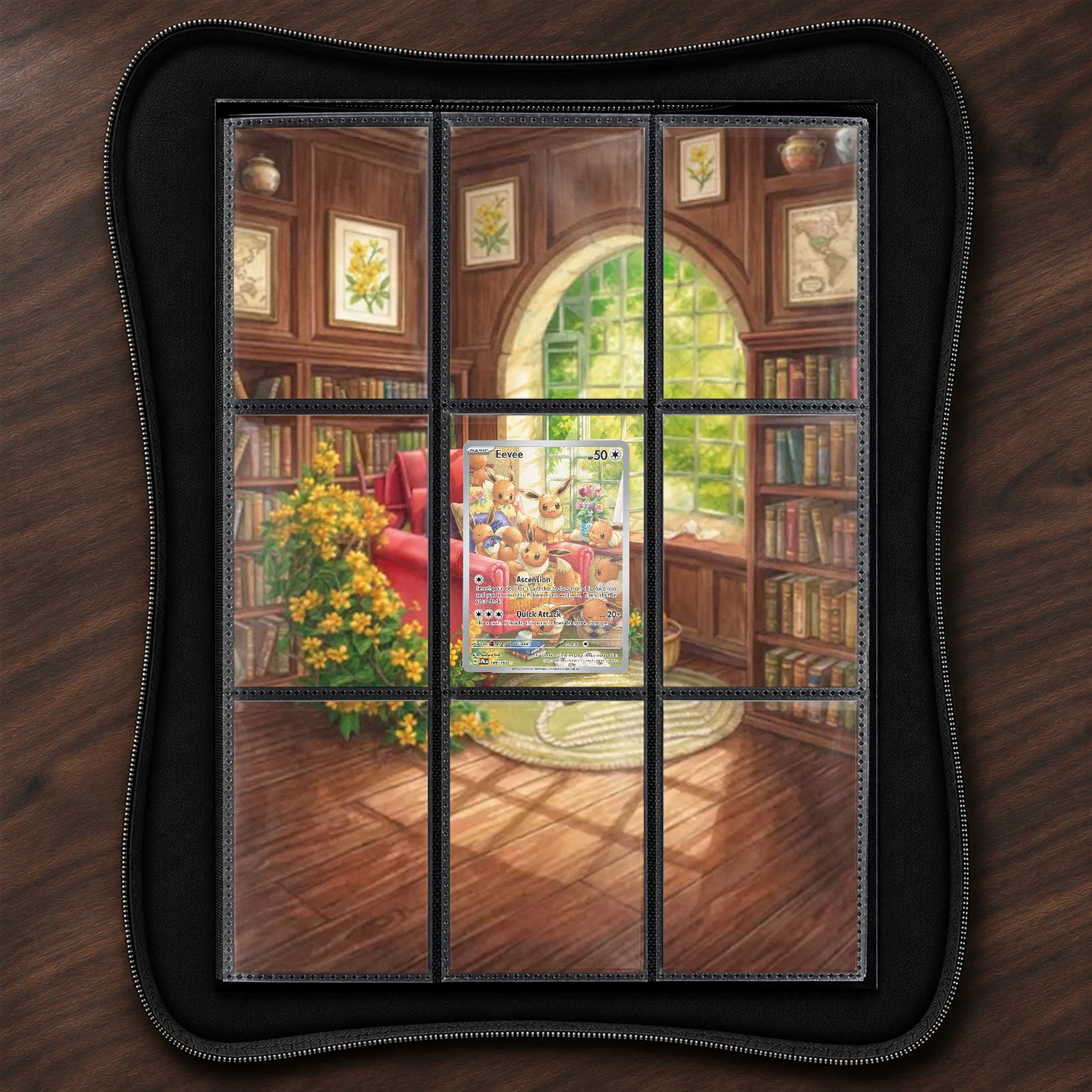
from €8.99
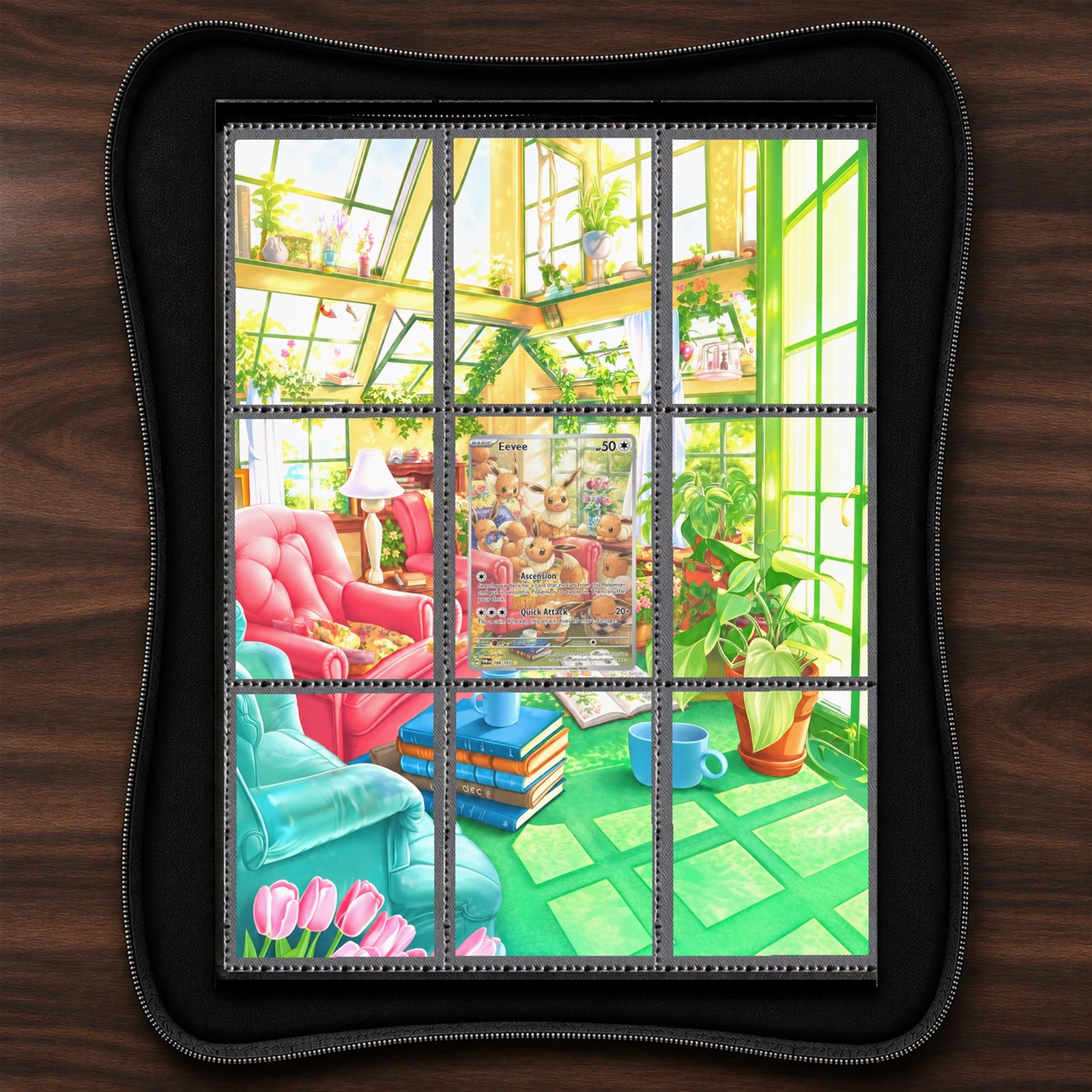
from €8.99
from €8.99
from €8.99
Choose nine physical panorama inserts in Softsleeve or Toploader size, or one FullArt print on A4 paper with white margins. Pokémon cards, binder, sleeves and toploaders are not included.
No. There are single-card designs and combinations with several cards. The binder preview shows the cards and positions intended for that design.
Choose physical inserts shipped to you, or a digital package for download-ready designs to print yourself. Physical orders do not include a PDF download.
Which insert size fits my binder?